
Strike Alley
About this game
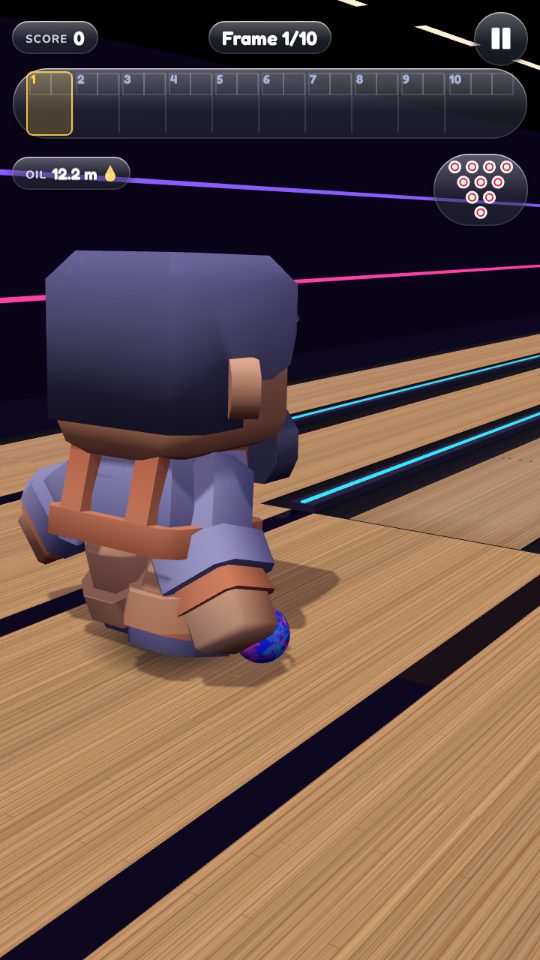
3D bowling in a glossy neon alley. Pick your board and your target arrow like a real bowler, flick the ball with spin and watch it skid through the oil and hook on the dry back end, while the pins crash into each other with real physics. Ten frames of real scoring: strikes, spares, splits and the perfect 300!
Strike Alley is 3D ten-pin bowling: one full game of ten frames on lane 7 of a neon alley, scored by the real rules up to the perfect 300. There is no power bar. You aim like a bowler: the lane is 39 boards wide, numbered from the right gutter, and you choose the board where the ball touches down at the foul line and a target board at the seven arrows 15 feet down the lane. The ball's line runs through both.
The ball skids through the oil on the first 12 metres, then grips the dry back end and hooks. Speed runs from about 19 to 35 km/h, and spin goes from a big left hook to a backup ball. The pins knock into each other with real physics, so the same hit can leave different pins.
The oil wears shorter every frame, so the ball hooks a little earlier as the game goes on; the game warns you in frames 4 and 7.
How to play
- Pick your stand board at the foul line and your target board at the arrows; the chip at the top shows both.
- Set the spin: more hook to the left, straight, or a backup ball that curves the other way.
- Bowl. On a touch screen, flick up: a faster flick throws harder, a curved one adds hook. On a keyboard, hold Space while the speed meter swings and let go.
- After each ball a tip chip says how far you missed the pocket, or which pin to aim at for the spare. Tap it, or press H, to move your line.
Controls
- Keyboard
- ← → move the stand board (↑ switches to the target, ↓ back), Shift moves half a board. Hold and release Space or Enter to bowl. Z and X turn the spin, V switches the lane view, H takes the tip.
- Touch
- Drag along the dots to choose the stand board and along the arrows to choose the target, then flick up to bowl. Curve the flick, or tap ◀ ▶ on the spin control, for spin. The LANE button switches the view.
- Mouse
Tips
- Change one thing at a time. If the ball misses the pocket, move the stand or target board but keep speed and spin, so you can see what the change does.
- Move freely for a spare. When a new rack is set, the aim jumps back to the line of your last first ball, so a spare adjustment never spoils your strike line.
- For a spare, the tip aims at the front pin still standing. Hit a single pin full in the face, and a group of pins on its pocket side.
- After the frame 4 and 7 oil warnings, expect earlier hook and let the tip chip tell you how far to move.
Features
- Real ten-pin scoring, up to the perfect 300
- Board-and-arrow aiming, spin and a 39-board lane
- Oil that wears shorter as the game goes on
- Pin physics, strike replays and a scorecard
Frequently asked questions
How does bowling scoring work?
A strike counts 10 plus the next two balls, a spare 10 plus the next ball, any other frame the pins knocked down. A strike or spare in the tenth frame earns bonus balls, so twelve strikes make 300.
Is there an easy mode?
Yes. Easy shows the ball's whole path before you bowl, steers a ball heading close to the pocket into it, softens the hook and wears the oil more slowly. Easy games stay off the leaderboard.
Can I play it on a phone?
Yes. It is made for a phone held upright; you bowl by flicking your thumb up the screen.
Tags
- #strike
- #alley
- #retro